
Playing Hiddenjack on Your Mobile Device
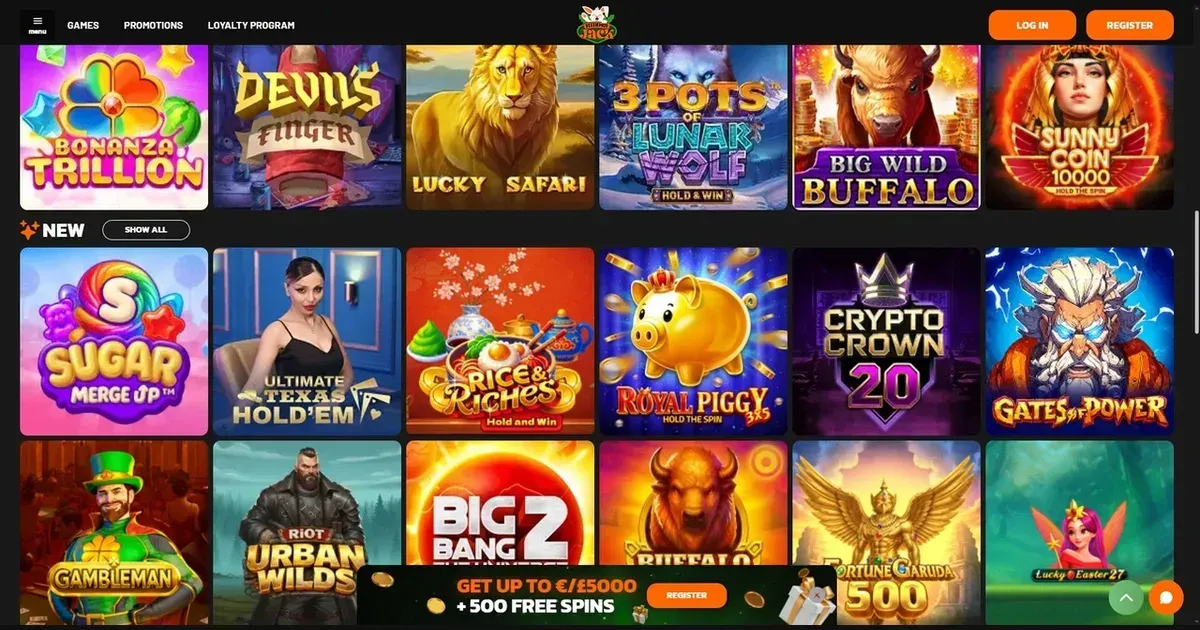
















Hiddenjack runs as a mobile-friendly site accessible through any smartphone or tablet browser. You don't need to download anything — the casino operates in your phone's browser just as it does on desktop, with the same account and the same balance across devices. What you can do from a phone depends partly on screen size and partly on the operator's own layout choices, so here's what to expect before you start playing.
How to Access Hiddenjack From Your Phone
Playing from a mobile device is straightforward. Open your phone's browser, navigate to the Hiddenjack website, and log in with your existing account. Your balance and deposit history carry over instantly from desktop.
- Open your phone's web browser (Safari, Chrome, Firefox or Edge)
- Visit the Hiddenjack website
- Log in with your account details
- Your balance and game library are immediately available
The operator does not publish information about a native iOS or Android app, so mobile play runs through the browser only. No download, no app store, no separate installation — the site itself adapts to your screen.
What You Can Do From a Mobile Screen
The core functions work on a phone. You can browse the game library, launch slots and table games, access your account settings and check your balance. The cashier — deposits and withdrawals — operates on mobile just as it does on desktop, so managing your funds doesn't require a larger screen.
Live dealer games are available on mobile browsers, though the experience can feel cramped depending on your device and the provider's own layout. Some games render better than others at smaller resolutions, and a few may ask you to turn your phone sideways for a wider view.
Customer support is reachable through live chat on mobile, so you can reach the operator's team directly from your phone if a question comes up during play.
Where Mobile Play Falls Short
The small screen brings real trade-offs. Game controls and buttons sit closer together, making accidental taps easier to trigger. Scrolling through a large library takes longer on a phone than on a desktop monitor, and reading bonus terms or withdrawal policies on a 6-inch screen requires more patience.
The cashier interface can feel tight on a phone, and entering withdrawal details — bank account numbers, cryptocurrency addresses — is slower and error-prone on a tiny keyboard. Payment methods that need longer strings of characters (like Bitcoin addresses or IBAN codes) are genuinely annoying to type out on a mobile device.
Some games and features may simply not scale well to a phone screen. Live dealer tables, in particular, lose some of their visual appeal and responsiveness at mobile resolution, and the chat function sits in a smaller window.
A Practical Checklist Before You Play on Mobile
A few things are worth checking before you start playing from your phone, especially if it's your main device for gambling.
- Connection strength. Mobile gaming works best on a stable Wi-Fi connection or a strong mobile signal. A weak connection can drop your session mid-game.
- Battery life. Longer sessions drain your phone faster than desktop play. Plug in if you plan to play for a while.
- Account security. Make sure you're visiting the correct Hiddenjack website and not a phishing copy. Bookmark the real address.
- Limits in place. Set deposit limits and session limits before you start playing — they're harder to reverse in the moment on a phone, but much easier to enforce if they're already in place.
- Sign out after. If you're playing on a shared or borrowed device, sign out completely before handing the phone back.
Playing Responsibly on Mobile
Mobile gambling has a particular risk: your phone is always with you, and the browser is always a tap away. Set strict limits before you play, take regular breaks, and keep track of what you're spending. If gambling ever stops feeling like entertainment and starts feeling like something you need to do, reach out for help. The National Gambling Helpline is available 24/7 on 1800 858 858, and BetStop lets you self-exclude from all licensed Australian wagering providers at once. You are in control of your choices, and support is there if you need it.
This portal is an independent information site about Hiddenjack and does not operate the casino, take bets, or organise gambling. It is for 18+ users only. If you need help with gambling, contact the National Gambling Helpline on 1800 858 858 or visit betstop.gov.au.
Last updated:
Frequently asked questions
Can you play Hiddenjack in a mobile browser without downloading an app?
Yes. Hiddenjack runs through your phone's web browser with no app required. Log in to your account on any device and play directly in the browser.
Does your balance and account carry over between mobile and desktop?
Yes. It's the same account on every device, so your balance, deposit history and game progress sync instantly across phone and desktop.
What's harder to do on a mobile screen?
Entering long strings like bank account numbers or cryptocurrency addresses is slower and error-prone on a phone. Browsing a large game library and reading terms also takes longer on a small screen.
Can you use the cashier and withdraw money from your phone?
Yes, but the interface is tighter. Deposits and withdrawals work on mobile, though typing long payment details on a phone keyboard is more tedious than on a desktop.
Game Providers